Comics are drawn for the two-page spread. A phone only shows one page.
Artists compose their pages in pairs: a big scene spreads across two pages, a reveal waits for the page turn. On a phone, a full page is too small to read, and the spread no longer exists. You zoom, you pan, you lose the thread.
The iPhone Duo, the first foldable iPhone, changes the game: open, it finally has the shape of a book. Tome was born for it, and also runs on every recent iPhone. It is our own product, from the first mockup to the App Store listing in seven languages.
Open it, and it's a real book.
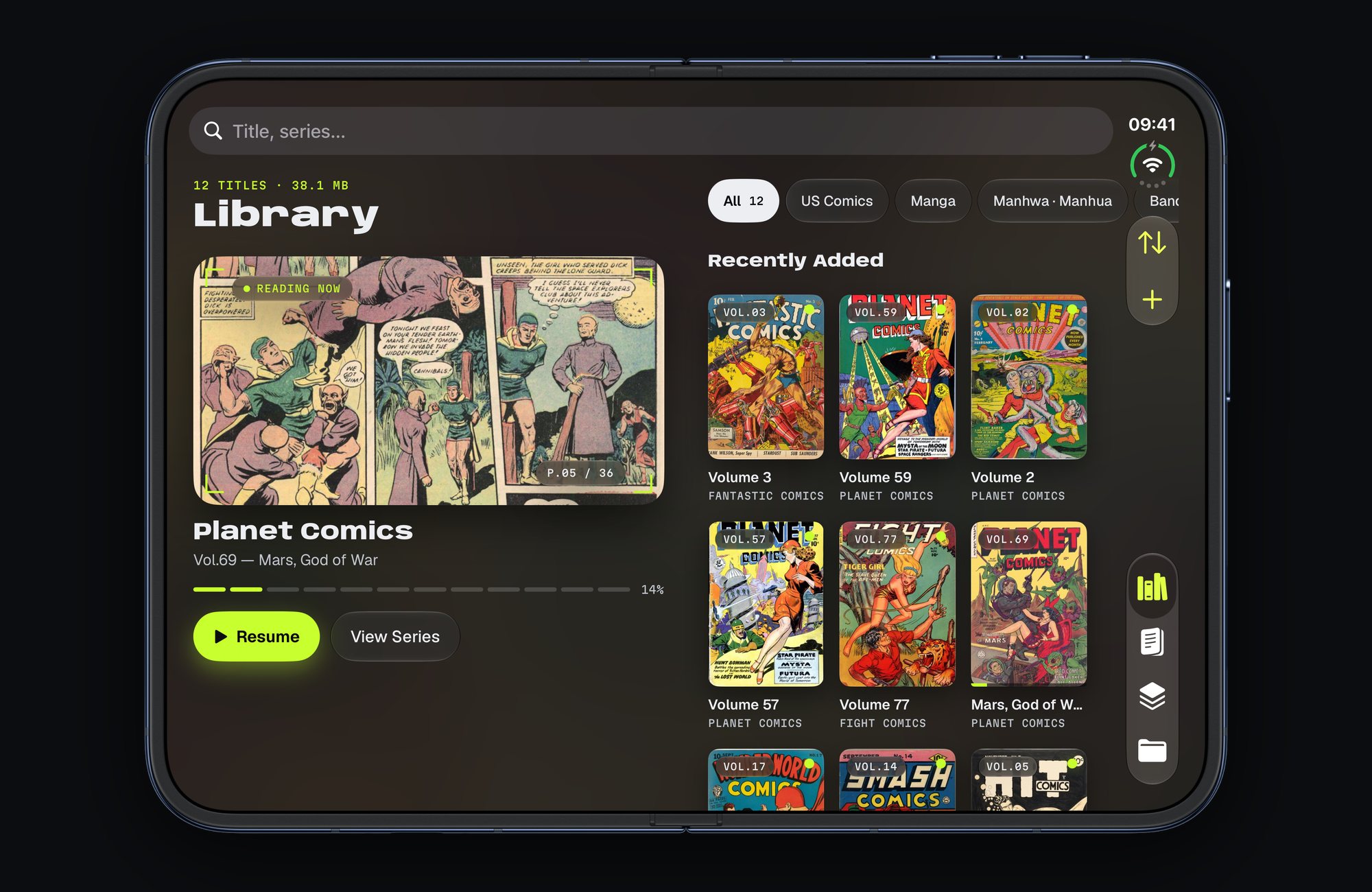
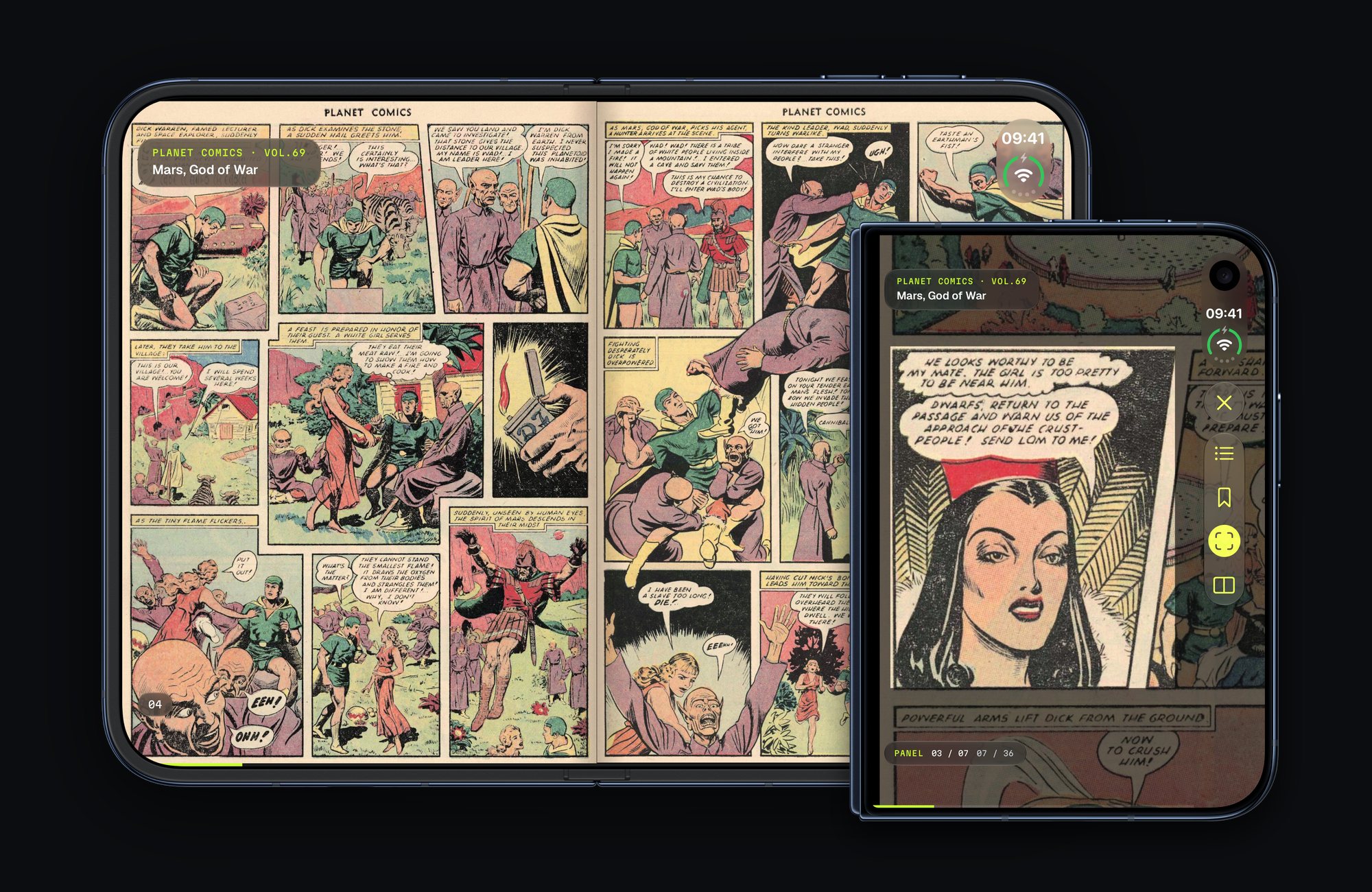
Closed, a reader that fits in your pocket.
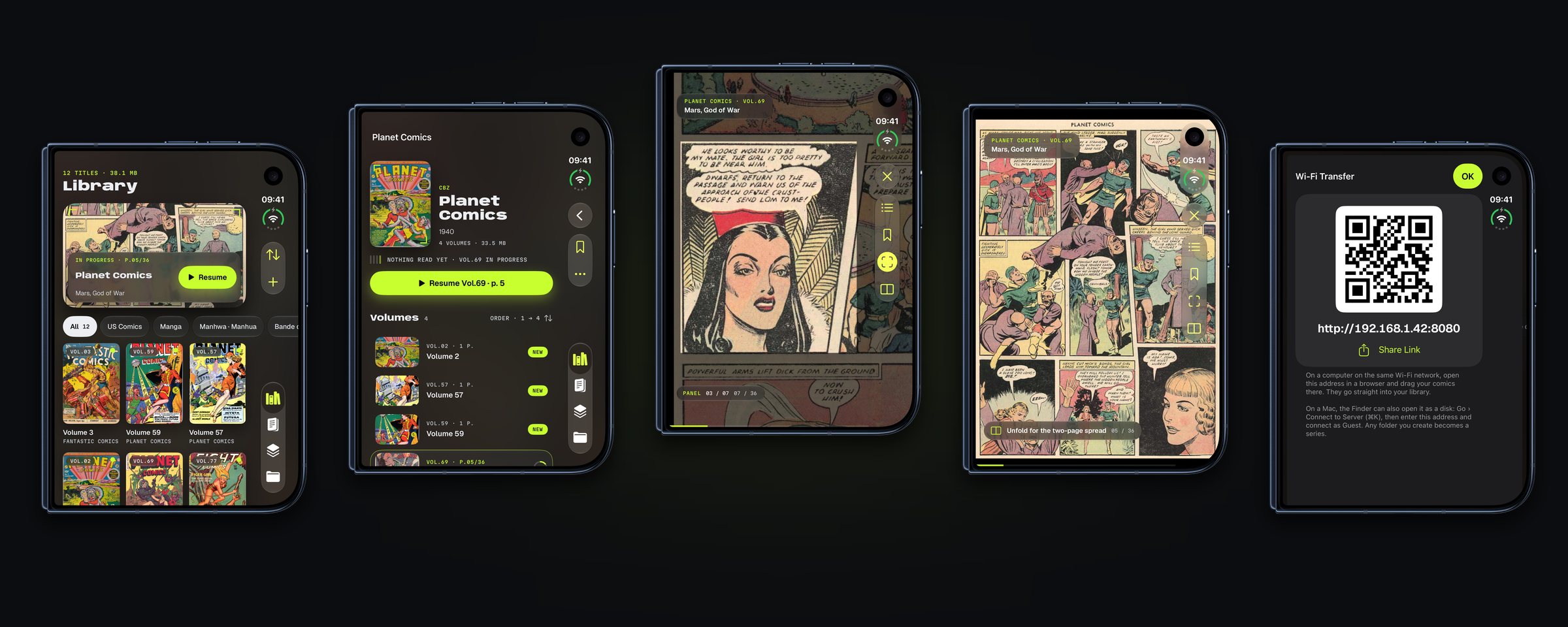
And on every recent iPhone.
Without a fold, Tome keeps everything else: guided view, reading direction, progress and transfer. The layout adapts to the screen, with no watered-down version.
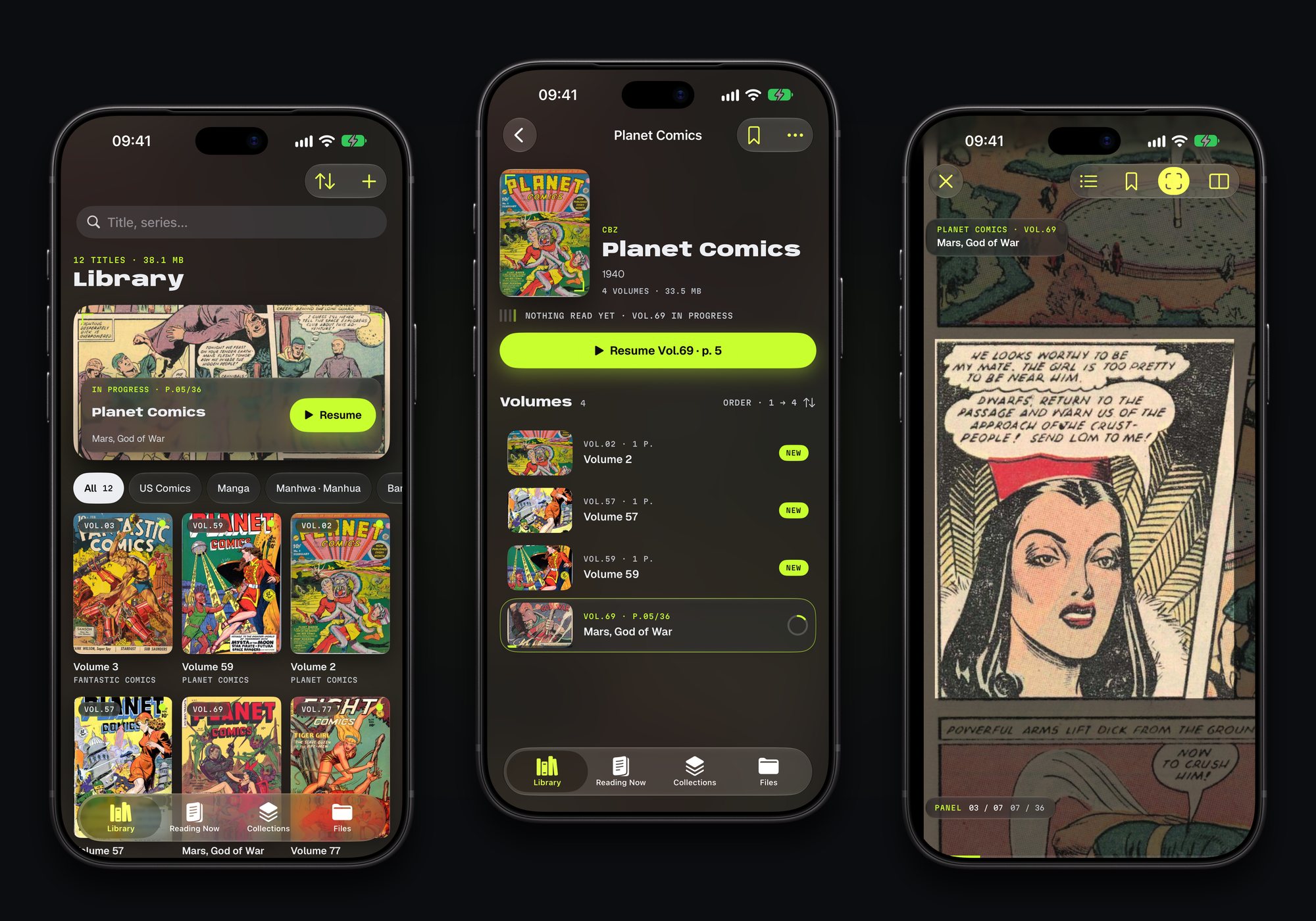
Comics on a phone, held by three deliberate choices.
The fold becomes the binding
Open, the iPhone Duo shows two pages side by side, like an album lying on a table. The fold falls exactly between them, and pages curl as they turn, like paper.
Closed, you read panel by panel
On a small screen, a full page is unreadable. Guided view finds every panel and shows it full size, in reading order. Panels are detected on the phone itself: nothing leaves the device.
Every comic its own way
Manga reads right to left, comics left to right, webtoons top to bottom. Tome sets it on its own from the series' genre, and each series keeps its own settings.
Reading comics looks simple. Everything that makes it simple stays out of sight.
Panels found across 1,650 pages
Guided view was put to the test on 1,650 real manga pages. The hard cases come out right: borderless panels, art bleeding to the edge, slanted panels or panels on a black background. Reading order follows the series' direction.
Fold, unfold, stay on your page
Open the phone mid-read and you land on the spread that holds the page you were on. Close it and you are back on that page. The next page is prepared in advance, panels included, so nothing keeps you waiting.
Six formats, and what they tell
Tome opens the most common comic archives, PDFs and illustrated EPUBs. It reads the series, the volume number, the authors and the summary from them, then arranges the library on its own. An unreadable file is flagged with the reason.
From the computer, no cable
The phone shows an address and a code to scan. On a computer on the same network, you drop your files into the browser, or open the iPhone like a drive. Tome also takes files from the Files app, AirDrop, a link or a personal server.
Your page follows you
The current page, finished volumes, bookmarks and each series' settings carry over from one device to another. A home screen widget reopens your current read with one tap.
Comics you can also listen to
With VoiceOver, every page and every panel is announced, and a gesture turns the page in reading order. Text follows the size chosen in the phone's settings, and tap zones can be adjusted, down to one-handed reading.
Seven languages, reviewed one by one
The app, its App Store listing and its widget come in French, English, Spanish, German, Italian, Brazilian Portuguese and Japanese. Every language was reviewed, and every screen checked so nothing gets cut off.
No account, no ads
Tome neither sells nor supplies comics: it reads the ones you own, and they stay on your devices. No account to create, no ads. To try it out, the app ships with the first pages of a public domain classic.